How to Manage Product Drops — From Draft to Delivery
A practical guide to managing product drops. Learn how to structure your drop lifecycle, handle orders, and track fulfillment without chaos.
Quick answer
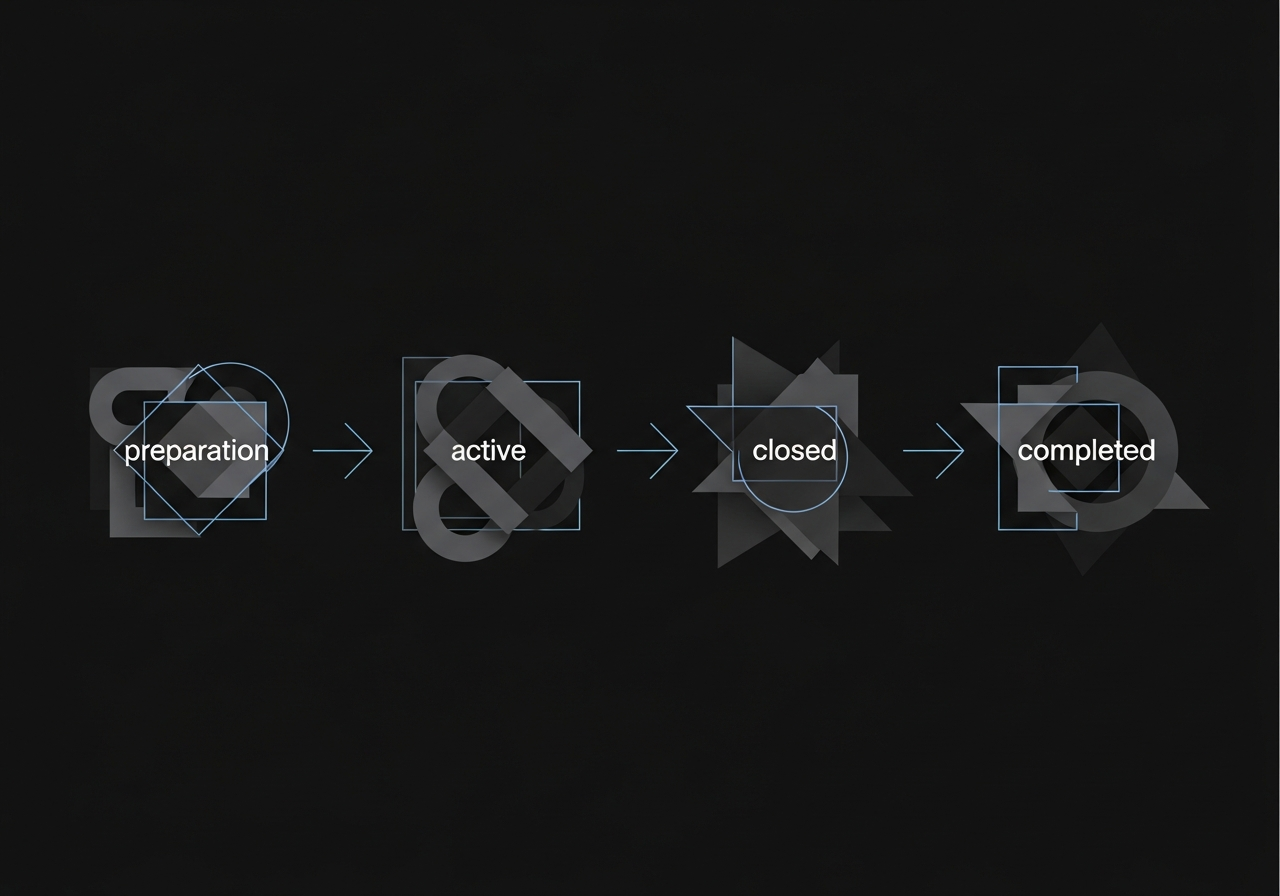
Manage product drops by giving each one a clear lifecycle: Draft (prepare products), Active (take orders), Closed (fulfill), Completed (done). This prevents drops from lingering, orders from getting lost, and gives you a clean record of every release. DropFlow enforces this lifecycle automatically.
The problem with managing drops manually
A product drop is a time-limited release. You announce a product, take orders for a defined period, then close and fulfill. The launch itself is usually the easy part — it's everything after that gets messy.
Most creators and small brands track drops in their head, or at best, in a notes app. "That hoodie drop from March" lives as a memory, not as a structured record. Questions like "Did I close that drop?", "Are all orders fulfilled?", and "Is anyone still waiting for delivery?" don't have clear answers. There's no defined state, no defined end.
This gets worse when you're running multiple drops in parallel — or when you do recurring drops monthly. Without a clear system, drops overlap. Old ones linger. You lose track of what's active and what's done.
The drop lifecycle — four states that keep you sane
The solution is simple in concept: give every drop a lifecycle with explicit states. Here's what that looks like:
- Draft. You're preparing the drop. Adding products, setting variants (sizes, colors, prices), configuring quantity limits. Nothing is live yet. You can take your time.
- Active. The drop is open. You're taking orders. Customers can place pre-orders, and you're recording them as they come in. This is the window.
- Closed. No more orders. The pre-order window is shut. You're now in fulfillment mode: sending orders to suppliers, receiving stock, preparing deliveries.
- Completed. Every order has been fulfilled. The drop is done. It becomes a historical record you can reference later.
Each state has clear rules. You can't add orders to a closed drop. You can't move a drop to "completed" while orders are still pending. The lifecycle enforces discipline without requiring you to remember every rule yourself.
Example — A streetwear brand running monthly drops
Consider a small streetwear brand that releases a new collection every month. Each month is a drop: "June Collection," "July Collection," and so on.
In June, the brand creates the drop in draft mode. They add 6 products — hoodies, tees, caps — each with size and color variants. When everything is ready, they activate the drop and share it with their audience. Orders flow in over two weeks.
At the end of the window, they close the drop. Now they can see the full picture: total orders per variant, total revenue expected, deposits collected vs. remaining balances. They submit the order to their supplier.
Meanwhile, the July Collection is already in draft. Products are being added. But there's no confusion between June and July because each drop is a separate, self-contained entity with its own products, orders, and status.
When June's stock arrives and every order is delivered, the drop moves to "completed." It's archived cleanly. No zombie drops lingering in the system.
How DropFlow structures product drops
DropFlow implements this exact lifecycle. Each drop progresses through Draft, Active, Closed, and Completed — and the transitions are enforced. You can't skip states or accidentally revert.
Products and variants are defined at the workspace level (so you can reuse them across drops) and then attached to specific drops with optional per-drop quantity limits. This means the same "Black Hoodie, size L" can appear in your June and July drops with different availability limits.
Orders live inside their drop. Each order links to specific variants with quantities, includes full customer information, and carries its own payment and fulfillment status. You always know how many orders are pending, how many are paid, and how many are delivered — per drop.
If you manage multiple brands or projects, workspaces keep everything isolated. Your streetwear line and your jewelry brand don't share data. One workspace per business, as many drops as you need.
For creators who also need to manage deposits and partial payments, the payment system integrates directly into the order flow — no separate tracking required.
Stop losing track of your drops
A product drop should have a clear beginning and a clear end. When it doesn't, you're left with open loops — orders that might be fulfilled, payments that might be collected, customers that might still be waiting.
A structured lifecycle eliminates the guesswork. Every drop has a status. Every order has a state. Every payment is recorded. When the drop is done, it's done.
Try DropFlow
A calm, structured way to manage your drops, pre-orders, and payments. Free to start.
Download on the App StoreFree to download. Get started in seconds.